 Contact Us
 Explore All
October 30, 2026
How to Choose a Software Outsourcing Company in Nepal
Choosing the right software outsourcing company in Nepal can help your business build reliable digital products, access skilled...
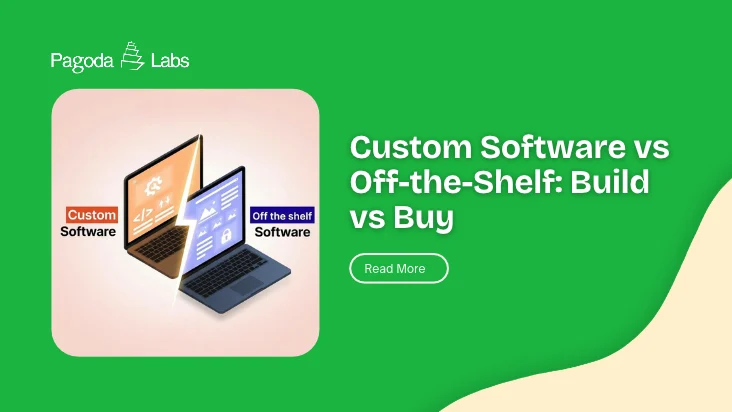
Every growing business eventually reaches the same point. The spreadsheet is breaking, the team is copying data between three tools, and someone asks: “Should we buy a product for this, or build our own?”
The build-vs-buy decision affects your budget, your speed, and sometimes your competitive position for years. Most guides present it as a simple pros-and-cons list. In practice, the right answer depends on one question:
Is this process generic, or is it the thing that makes your business win?
This guide explains what each option means, how they compare on the factors that matter, and how to decide whether to build, buy, or combine both.
Off-the-shelf software, also called commercial off-the-shelf (COTS) software, is a ready-made product built for a broad market. You pay a licence fee or subscription, configure the settings, and start using it.
Examples: Microsoft 365, QuickBooks, HubSpot, Zoho, Shopify, and Slack.
Because the vendor spreads development costs across many customers, you get a mature product at a relatively low price. The trade-off is that you work within the vendor’s features, roadmap, and pricing structure.
Custom software, also called bespoke software, is designed and built around one organisation’s workflows, users, and goals. It might be an internal operations dashboard, a customer portal, a booking platform, or a SaaS product you sell.
You can shape its features, integrations, and development roadmap around your needs. However, you also carry responsibility for its development, maintenance, and long-term performance.
| Factor | Off-the-Shelf Software | Custom Software |
| Upfront cost | Usually low | Usually high |
| Long-term cost | Recurring fees that may increase with users or features | Maintenance, hosting, support, and future development |
| Time to launch | Often days to weeks | Often weeks to months |
| Fit to your process | Best for standard workflows | Can be designed around your specific workflows |
| Scalability | Depends on vendor plans and product architecture | Can be designed around expected growth |
| Integrations | Depends on available APIs and integrations | Can be built to connect with your systems |
| Maintenance | Vendor handles core product updates | You or your development partner handles maintenance |
| Control and ownership | Vendor controls product direction and pricing | Control depends on your contract and ownership rights |
| Competitive advantage | Competitors may use the same product | Can support unique business processes |
| Main risks | Vendor lock-in, price increases, or feature changes | Poor scoping, budget overruns, and dependency on developers |
Comparing a subscription fee with a development quote can be misleading. A fair comparison considers the total cost of ownership (TCO) over three to five years.
When evaluating a ready-made product, consider:
For custom software, account for:
A software subscription costing $40 per user per month may seem affordable for a team of five. At 80 users, however, it costs $38,400 per year, before add-ons.
If a custom system can replace the subscription at a comparable total cost of development and ongoing maintenance, building may become financially attractive. The reverse is also true: if a small team only needs basic features, buying an existing product will usually be cheaper.
The right decision depends on actual pricing, feature requirements, team size, maintenance costs, and the expected period of use.
Buying is often the better option when:
Building custom software may be worthwhile when:
The decision is rarely all-or-nothing. Many businesses get better results by combining ready-made products with custom development.
A useful rule of thumb is: Buy for parity, build for advantage.
Answer these seven questions for the process you want to improve. Each answer can help indicate whether buying or building is the better fit.
If your answers point in different directions, a hybrid approach may be worth considering.
Before committing to a large development project, trial the best-fitting existing product and conduct a short discovery phase for the custom option. Compare the actual costs, limitations, and expected benefits rather than relying on assumptions.
Custom software usually costs more upfront. Over three to five years, the difference depends on user numbers, subscription increases, maintenance expenses, and the time employees spend working around software limitations.
A focused minimum viable product (MVP) may take a few weeks to a few months, depending on its scope and complexity. Larger platforms can take considerably longer. Off-the-shelf tools may be ready to use within days.
Yes. Choose products that support data exports and provide suitable APIs. These capabilities can make future migration and integration easier, although the complexity depends on the systems involved.
Not necessarily. Established vendors often invest significantly in security, but their products can also be attractive targets. Custom software can be secure too, provided it is designed, tested, updated, and maintained properly.
Yes. Custom development can make sense when a small business has an unusual core workflow, faces costly limitations with existing tools, or is developing software as its product. Otherwise, a well-configured off-the-shelf solution is often the more practical starting point.
A combination often works well: buy software for standard business functions, build what makes your business different, and integrate the systems where necessary.
The custom software vs off-the-shelf decision has no universal winner. The right choice depends on your business requirements, budget, timeline, and long-term plans.
Off-the-shelf software offers speed, lower upfront costs, and vendor-managed updates. Custom software offers greater flexibility and the ability to support distinctive business processes. Many businesses benefit from using both.
Define the problem clearly, compare the total cost over several years, test your assumptions early, and choose the option that removes real friction without creating unnecessary costs or dependencies.
Choosing the right software outsourcing company in Nepal can help your business build reliable digital products, access skilled...

Choosing a staff augmentation partner is about more than finding developers who are available....